


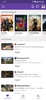
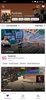
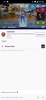
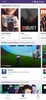
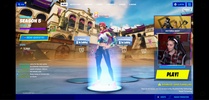
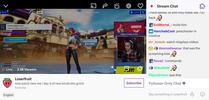

Twitch is the (new) official app for the service of the same name, which lets you broadcast yourself playing video games, view other players' streams, interact with them, talk with other players, and basically do everything you usually could from your browser.
From this app, you can watch other people playing your favorite games while you chat with other users who are on the same channel as you are.
Besides that, this version of Twitch also allows anyone who starts streaming to monetize their broadcasts. This way, you can make money while you play your favorite games so long as you can get a good following.
The app works perfectly with 3G and WiFi and also lets you change the video quality so it doesn't eat up so much data in case you're using 3G.
Twitch is a very useful app for anyone who frequently uses this service, which you can now carry with you at all times. It's important to keep in mind that THIS is the new version of the Twitch app and that the previous one (version 3.2.3) no longer has official support.
Requirements (Latest version)
- Android 8.0 or higher required
Frequent questions
How much data does Twitch consume?
The amount of data that Twitch consumes depends on the image quality. It's estimated that 900 MB/h are required for a 720p stream; 1.5 GB/h for a 1080p; and 3 GB/h for a 2K.
How can I subscribe to a Twitch channel?
To subscribe to a Twitch channel, you'll need to pay a monthly fee whose price depends on your location. You can also subscribe for free with Twitch Prime.
How can I follow channels and games in Twitch?
To follow channels in Twitch you'll need to access the profiles of the users streaming the content and tap on the heart icon. To follow games, you'll need to search within the exploring section and bookmark the game you want.
Is Twitch free?
Twitch is a totally free app. You won't have to pay anything to enjoy the thousands of channels streaming from the service, but you can pay monthly fees to avoid ads on your favorite channels.


 129 reviews
  Users find Twitch highly engaging and enjoyable





























Comments
cool
I am Cuban, and during blackouts, this has been the means that has helped me not go crazy. Highly recommended for those who have plenty of free time and need to distract themselves!
the best app lol
The app is sensational.
I really like Twitch.
Fantastic app from Amazon! Great UI and UX! A lot of fun activities can be done using the channel points and great communication mechanisms between the streamer and the one who is watching!